|
TIDE FAQ
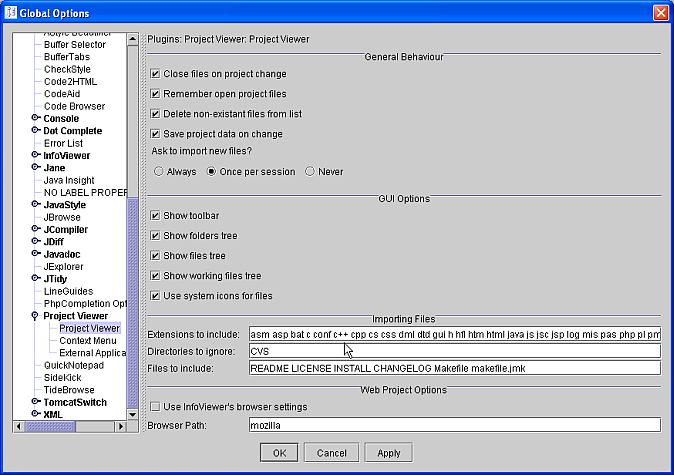
- Searching with TIDEBrowse for selected text pops up an "Empy File Set" error dialog.
Solution: you probably have your project viewer plugin configured to include extensions like "c++"
(containing special characters like "+"). Since TIDEBrowse uses these extensions for its search,
those special chars screw up JEdit's regular expression search. Please remove all extensions containing
special characters.
NOTE: This seems to be fixed in JEdit 4.3.!
- Trying to compile the plugins with ANTFarm gives me an "java.lang.StringIndexOutOfBoundsException: String index out of range: 0"
error message.
Solution: go into the ANT properties and select "Run Ant targets in the same JVM".
- The debugger doesn't do anything, although I have created a new TIDE project and my username and password
are correct!
Solution: Check your patched "main.cs" file in your game's root dir - there should be a line:
%cmd = "dbgSetParameters(" @ $GameDebugPort @ "," @ $GameDebugPassword @ ");";
If you are using TGE >= 1.4, that syntax has changed and the function needs a third parameter now:
%cmd = "dbgSetParameters(" @ $GameDebugPort @ "," @ $GameDebugPassword @ ", false);";
- Search, Debugging / Project autocompletion file generation don't work!
Solution: You have to select / activate a project in the ProjectManager, otherwise TIDE can't determine
the file paths and file extensions to search for.
- jedit4.3XXinstall.dmg won't run on Mac OS X
Solution: Try replacing the softlink as explained here.
|